Contact
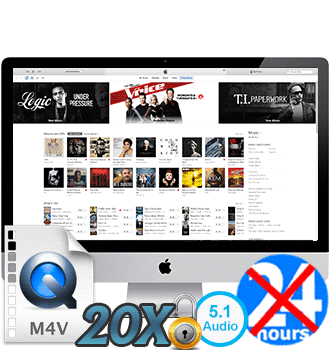
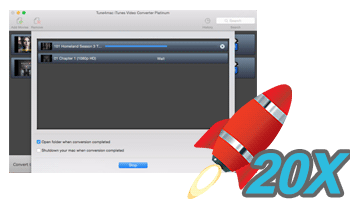
- 20X faster conversion speed. The newly release version adopts with the advanced acceleration technology which supports converting iTunes videos at 20X faster speed. Tune4mac can convert both HD and SD iTunes M4V videos to plain formats with 100% original quality preserved.
- Time-saving batch conversion. You can save your time by create a batch list of M4V video from iTunes' library, and convert them all to selected format at a time. Its intuitive interface lets you handle the M4V to MP4 conversion easily.

$69.95 $44.95
Tune4mac is a home edition and it's only for personal use.
Tune4mac iTunes Video Converter Platinum
Support TV Shows, iTunes Purchases and Rentals Movie (including Music Videos)
Convert iTunes M4V movies and TV Shows to popular media formats at 20X faster speed with lossless quality preserved. The converted videos can be played on multimedia devices, such as iPhone XR, iPhone XS, iPhone XS Max, Apple TV 4, Samsung Galaxy S9, Nexus 9, Surface Pro, Roku, TVs and many other.
20X faster conversion speedKeep all subtitles and 5.1 audio track
Retain lossless video qualitySupport various output devices
Convert M4V to MP4, MP3...Compatible with macOS 10.12; iTunes 12.9.
Urgent Note: Tune4mac iTunes Video Converter Platinum can't support macOS 10.13 High Sierra and macOS 10.14 Mojave.
High Sierra users can downgrade mac 10.13 to 10.12 to make it work again. Or contact us to switch your Mac license to Windows for free.
Price: $69.95 $44.95

Version: 4.3.8 (Install?)

View Video Demo

Get Windows Version

- Key Features
- Screenshot
- User Guide
- Articles
Batch Conversion; 20X Faster Conversion Speed; Easy-to-Use

Keep AC3 Dolby 5.1 Audio; Multi-language Subtitles
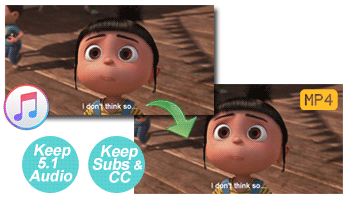
- Retain all audio tracks including AC3 Dolby 5.1 Audio. The newly upgraded Tune4mac is able to preserve AC3 Dolby 5.1 audio with "Same as Source for MP4/MOV" or "Customized MP4/MOV video" output format setting, for enjoying converted iTunes M4V videos with 5.1 audio track on TVs.
- Preserve Multi-language & CC Subtitles. The great feature enables you to choose a subtitle in certain language to be displayed on screen and the correspondent audio track to be played. Besides, CC (Closed Captions) can be also preserved perfectly.
Best iTunes Video Converter Software for Mac
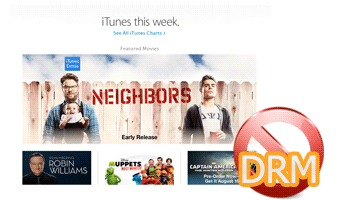
- Support both purchased and rented iTunes M4V. The most powerful iTunes M4V Converter for Mac users. Support converting both purchased and rented M4V movies (including iTunes Extras) on iTunes and convert to plain formats for playback on various devices freely.
- Support Various Output presets. This iTunes M4V video Converter takes a deciphering method to encode M4V video you purchased or rented from iTunes to QuickTime MOV, MP4, iPhone, iPod format in high speed and great quality.
- Help Stream iTunes Videos to TV. You are able to stream iTunes videos to watch on TV, such as LG LED/LCD/3D TV, Sony smart TV, Samsung TV and so on.
iTunes M4V to Multiple Output Formats Converter
- Convert M4V to MP4, MOV, AVI, MP3 Formats. Tune4mac iTunes Video Converter Platinum can convert purchased and rented iTunes M4V videos files to MOV, MP4, FLV, AVI, MEPG1/2, 3GP and much more. What's more, it is also possible that converting M4V video to MP3, WAV and AAC audio formats.
- Provide highly Customized M4V Conversion. This Video Converter allows you customize the parameters for output files. You can convert iTunes M4V videos to customized MPEG-4 format. You are able to choose the video size, bit rate, language for the converted movies.
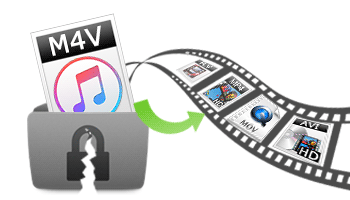
iTunes M4V into Multiple Predefined Profiles Converter
- Import iTunes to iMovie, FCP(X), iDVD, iBook. This M4V converter can import iTunes M4V videos into iMovie or FCP(X) to be edited.
- Upload iTunes to YouTube, Facebook, Flickr. Tune4mac users can convert iTunes M4V videos to YouTube, Flickr, Facebook, HTML5 supported formats for sharing the converted videos freely.
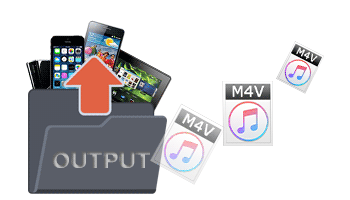
- Convert M4V to various output devices. Convert iTunes M4V purchases and rentals videos to plain formats for playing on portable devices like iPad Air /mini 4, iPhone XR, iPhone XS, iPhone XS Max, iPod, Apple TV 4, Google Nexus 7, LG G6, Sony Xperia Z5 Series, Sony PSP, Samsung Galaxy S9, Nexus 9, Xbox, Roku, Surface Pro, LG HD TV, etc.
Recommended Hot New Music Products
- Apple Music Converter: Specially designed to convert Apple Music tracks, iTunes M4P Music and Audiobooks to plain MP3, WAV, AAC, FLAC and AIFF at a super fast speed. All ID3 Tags will be smoothly preserved in output MP3, M4A or WAV files after conversion.
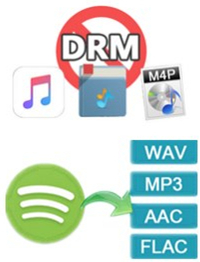
- Spotify Music Converter: Helps you to decrypt and convert Spotify music to common MP3, WAV, AAC, FLAC, ALAC and AIFF format.
100% S ecure for Downloading & Purchasing

30 Days Money Back Guarantee

Lifelong Free Technical Support

Email Response within 48 Hours